
 Back
Back


We always strive to write code that is compliant with basic coding standards like SOLID, SLAP (Single Level Abstraction Principle), etc. We know these principles are fundamental, and they take care of scalability, maintainability, and many other factors for the most part. This article is just another attempt to make things easier when it comes to handling the UI of our application, so we start by first looking at a fundamental use case.
The fact that our UI can request data means we develop views that would show its states. If we take a look at a basic operation, here are some of the basic states that we can land in:
There are some of the basic states we might incur when doing the most basic operation in Android; however, things might get complicated when we have multiple data fetches in a single screen with different repositories.

It doesn't stop here; once you fetch the data set, that doesn’t mean we just take the data and update the UI. A lot of times, the state of the data would itself have multiple states associated with it. Sounds confusing.

Considering we have an app that manages different types of skilled experts, now, depending on the skill set, we take different inputs from the user, and the same would be downstream in respective flows, which means every piece of UI has different states (info). Consider these not at a screen level, where you can put them into fragments, but in a widget context where you have multiple sections tiled in a view.
So now your data would tell you the types of experts it is, and from that data, you decide which UI to show. Now, if you picture this in code, it might look something like this:
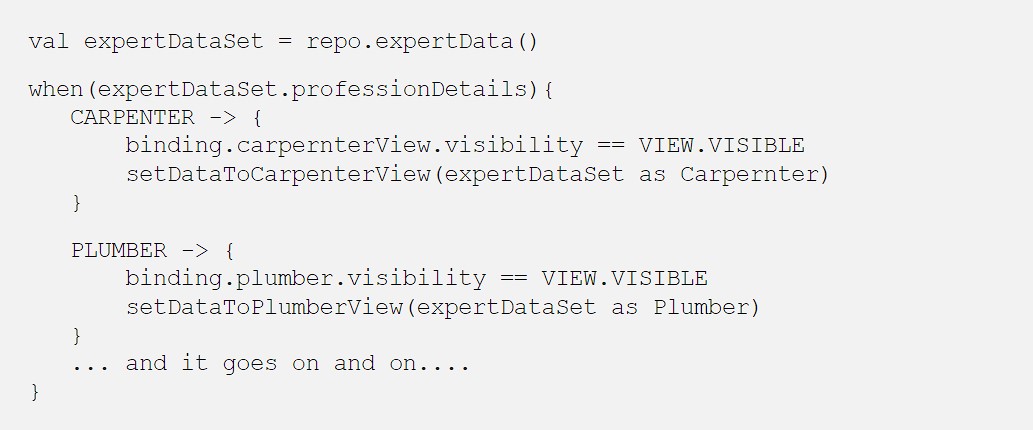
Here’s a list of some of the issues that we can find by looking at the code snippet above:
Open for modifications: A problem that you can tell just by looking at the code is that it's open for modifications, which simply means every time you add a new expert to the system. You’ll have to come back to this file and handle the case that incurs modifications in an existing file, which one should always try to avoid.
Now, this is soothing, and here’s how we can do this:
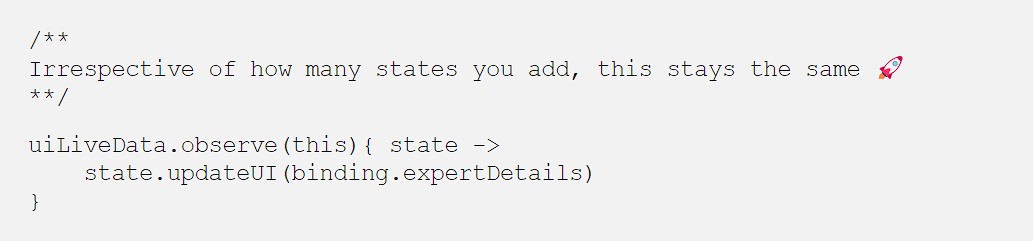
As clean as it looks, it is equally easy to implement.
So we’ll use just the basics of polymorphism to achieve this by defining an abstract class. Here’s how we do it:
1. Define an interface for states: We define an abstract class so that we can connect the rest of the states with a widget. Here, we would reset the view of our widget to a default state from where our states can take charge.

2. Defining states: You define the finite set of states that the UI can withhold, and you encapsulate the logic there. This is a place where you add all your private functions that now reside properly encapsulated.
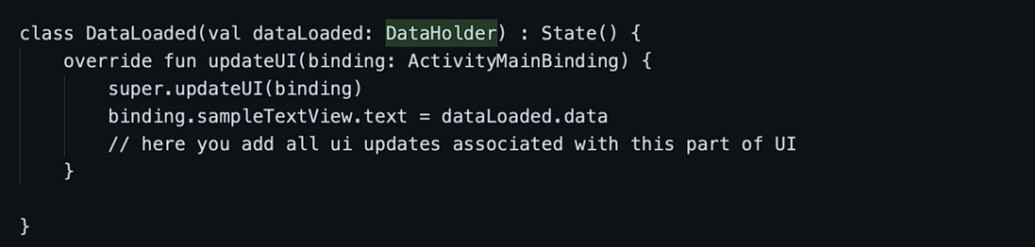
3. Pushing States from Repository: Now inside your repository, depending upon the use case, we would push the state and encapsulate data inside the same. This way, states define the data they require, and that’s how we encapsulate their data handling.
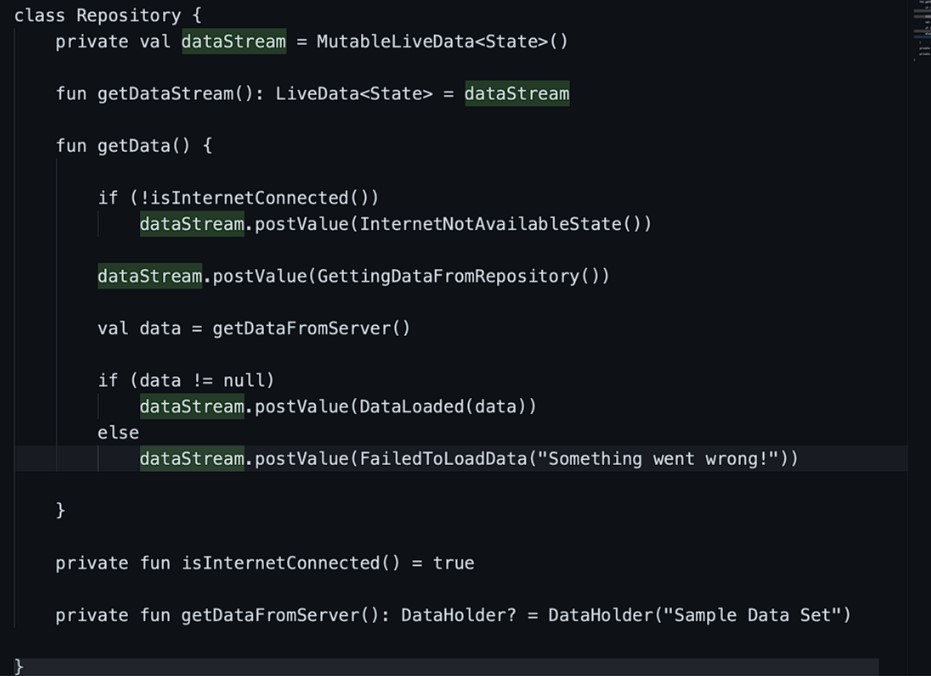
4: We just listen on the UI layer: At last, we just attach the observer, and it takes care of routing the state to its respective implementations. That’s it!
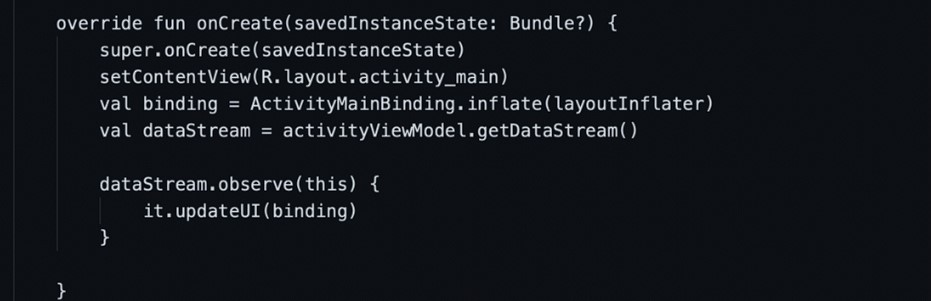
By doing all this, you have not only made your code compliant with basic coding standards set by SOLID, but you will also enjoy the mechanics when adding more states to our UI.
Hash Tags :
#shadowfax #mvvm #statedrivenui #ui #techinnovation #techenablelogistics #logisticsandtech
Related Blogs